
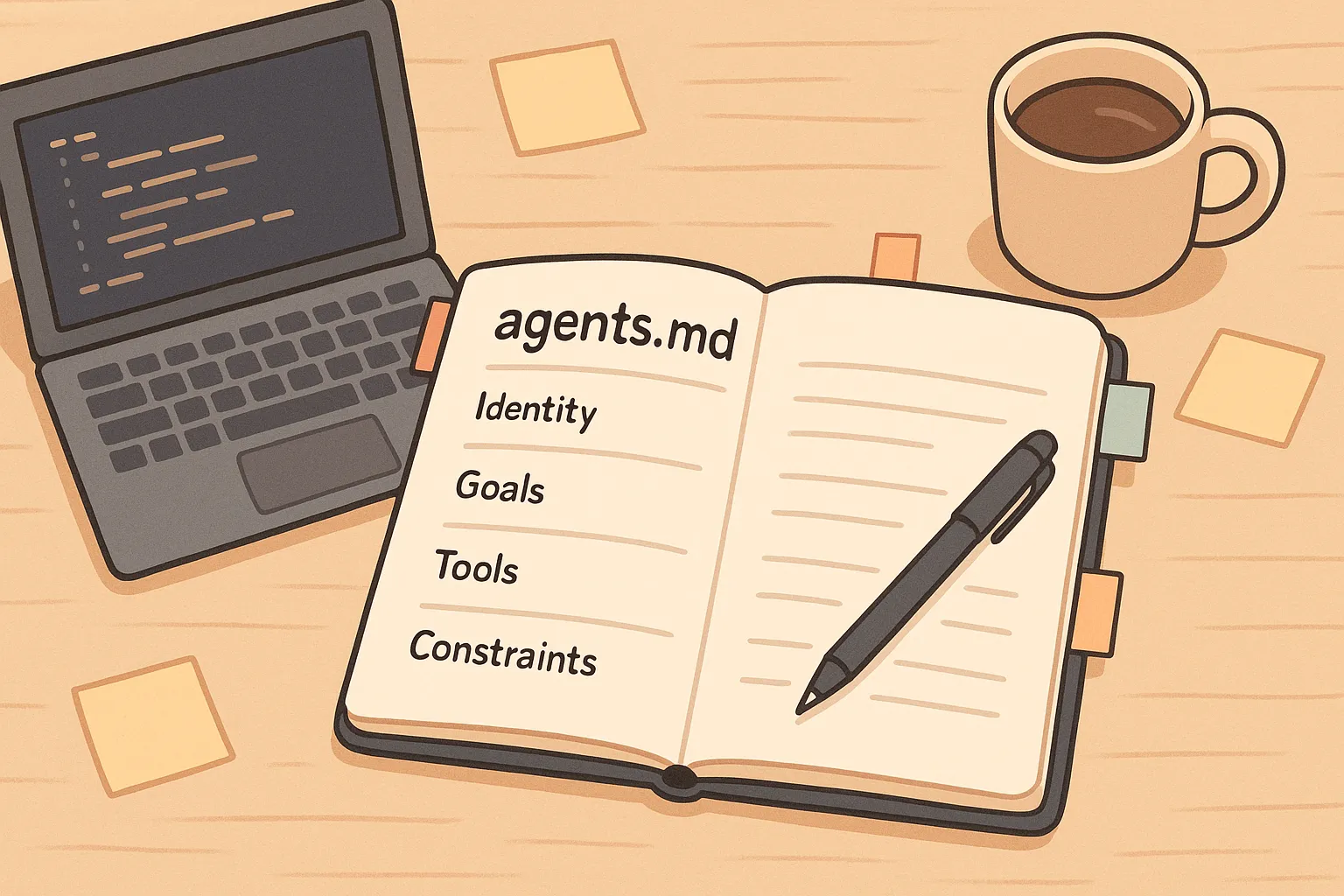
AGENTS.md — How to Guide Your Coding Agents
If you’ve played with GitHub Copilot, ChatGPT, or another coding agent, you might have had a moment like this:
- You ask it to generate a simple database migration. It mostly works — there is a new file in the right directory, but the name doesn’t quite match the others and the schema doesn’t follow the patterns.
- You ask it to add a new API endpoint. It returns the right data, but the controller ignores your existing error-handling helpers and logs in a completely different way than the rest of the service.
In that moment, it’s natural to wonder: Is this my fault? Am I prompting it wrong? Is the model just flaky, or is there some other piece I’m missing?
In our last post, we looked at the rise of agentic AI — tools that don’t just autocomplete code, but plan and execute development steps for you. These agents are powerful, but they rely on guidance. Just like a new team member, they need onboarding.
That’s where AGENTS.md comes in.
What Is AGENTS.md?
Think of it as a README-style contract — but for your AI coding agents.
The AGENTS.md open format gives you a dedicated, predictable place in your repository where agents can find the extra context they need: build steps, test commands, style rules, and project-specific conventions that might clutter a human README or live only in people’s heads.1 It’s already being treated as a common standard across tools, rather than yet another vendor-specific config.2
Placed at the root of your repository, this file gives the agent a structured overview of how your project works:
- How to build and test
- Which tools and frameworks to use
- Your coding conventions and architectural patterns
- Your expectations for documentation, tests, and PR scope
It turns “do your best” into “follow these rules.”
Here’s a deliberately simple snippet to show the shape of such a file:
# AGENTS.md

## Commands
- Run tests with: `pytest -q`
- Format code with: `black .`

## Quality rules
- Every code change must include or update at least one unit test.
- Keep changes small and self-contained; avoid unrelated refactors.

## Boundaries
- Never run destructive shell or git commands (`rm -rf`, `git push --force`, `git reset --hard`) without explicit confirmation from the human.
What kind of rules belong here?
At a high level, this file answers a few questions for your agent:
- How is this project built and tested?
- What does “good” code look like here?
- What are the boundaries and red lines?
Examples of useful content:
- Style rules – tabs vs spaces, casing, import order
- Test expectations – when and how to write tests, and how to run them locally
- Tooling – CLI commands, linters, formatting tools, deployment scripts
- Safety boundaries – files or functions not to touch, “never do X without asking”
- Communication & collaboration – how the agent should talk to humans (be concise, slightly positive, ask when unsure, summarize plans before risky changes) and how it should present its work (for example, by proposing commit messages and branch names that follow your team’s conventions)
The most effective contracts:
- Are concise (don’t exceed what realistically fits in a context window)
- Focus on high-leverage, stable rules rather than every edge case
- Avoid contradictions or vague “do everything perfectly” statements
GitHub’s Copilot team suggests covering a core set of areas in your agent instructions: commands, testing, project structure, code style, git workflow, and boundaries.3 Other guides and ecosystem overviews echo a similar pattern: start simple, then expand the file only when the agent repeatedly makes the same mistake.42
One surprisingly powerful pattern is to add a tiny “Boundaries & Hard Stops” block instead of sprinkling “never do X” rules all over the place. For example:
- Always: run tests before you consider the work “done”.
- Ask first: before changing configs, database schema, or CI pipelines.
- Never: run destructive shell or git commands (
rm -rf,git push --force,git reset --hard, dropping branches) without explicit confirmation from the human.
This makes it much easier for both the agent and reviewers to see your red lines at a glance.
This example is intentionally minimal. In practice, the same file can also capture things that are much harder to infer from a couple of source files: how you handle errors, how defensive you are around external calls, what “good logging” looks like, how tests should be structured, how you expect the agent to communicate with humans on your team, and where the company-specific hard stops and policies are.
By writing this once, you avoid repeating yourself in every prompt. More importantly, you make the agent’s behavior more consistent across tasks — and across teammates.
How AGENTS.md Fits With Your Prompts
AGENTS.md doesn’t replace prompts — it changes what needs to go into them. The file handles the “how we work here”, and your prompts describe what you want done right now.
A helpful mental model is:
- Your prompt describes what you want done right now.
For example: “Add soft-delete support toUserServiceand expose it via the existing/usersAPI.” - AGENTS.md describes how work should be done in this repo.
For example: which testing framework to use, how to structure new modules, what “done” means, and any hard stops.
Instead of stuffing all of that into every prompt, you can keep prompts short and refer back to the shared contract:
Why put this guidance in a file instead of repeating it in the prompt?
- It’s persistent and shared. The contract lives in the repo, under version control. Everyone — and every agent — sees the same rules.
- It keeps prompts focused. You don’t have to re-explain style, tests, or safety boundaries in every request. You just reference the contract.
- It plays nicely with tools. GitHub Copilot, Claude Code, and OpenAI Codex–style agents all support repository-level instruction files (such as
.github/copilot-instructions.md,CLAUDE.md, or AGENTS.md) that are read automatically or with minimal setup.567
You can see this pattern in the ecosystem already: GitHub Copilot lets you define repository-wide rules in a .github/copilot-instructions.md file; Claude Code pulls a CLAUDE.md file into context as its “project memory”; Codex-based tools read AGENTS.md before doing any work.567
The open AGENTS.md format is the vendor-neutral name that’s emerging so your guidance doesn’t have to be tied to one specific tool.12
AGENTS.md Is About How (and Why That Matters)
It’s important to distinguish between the how and the what in this context.
Planning tools or specs (issue trackers, feature specs, things like Spec Kit8) answer “What should we build?” — they break a feature into steps and tasks.
AGENTS.md answers a different question: “How should each of those steps be carried out in this codebase?” It encodes the practical rules behind high-quality implementation: coding standards, design and dependency trade-offs, testing habits, safety guidelines, and git/PR conventions.34
You can happily use both: a planning system to decide what to do next, and this file to ensure each task is done in the “right” way for your project.
Transferring your mental model to AI agents
On the surface, this contract fixes obvious annoyances:
- Writing code in the wrong style (tabs vs. spaces,
snake_casevs.camelCase) - Choosing incorrect or deprecated libraries
- Making large and unfocused diffs when only a small fix was requested
- Skipping tests or documentation updates that your team expects by default
Those are real and painful. But they’re just symptoms of a deeper gap: the amount of context a developer carries into every change versus what an agent actually sees.
When a reasonably experienced developer makes a change, they’re not just “writing code”. They’re quietly juggling a huge amount of context and unwritten rules across several dimensions of the work:910
- Planning and design – clarifying intent, thinking through edge cases and failure modes, choosing patterns, balancing simplicity vs flexibility, checking how a change fits the existing architecture, and weighing performance, security, and data-privacy trade-offs before anyone types a line of code.
- Implementation and coding – following naming and style guides, respecting architectural boundaries, applying design patterns, handling errors and retries consistently, deciding what to log and at which level, choosing dependencies carefully (“does this library really pay for itself?”), and keeping changes incremental instead of rewriting the world.
- Refactoring and cleanup – spotting code smells, removing duplication, improving naming, simplifying tangled logic, and paying down small bits of technical debt while keeping behavior stable. A lot of “senior judgment” lives here: is this actually better, or just different?
- Testing and quality – deciding what to test (critical paths, edge cases), how to structure tests, what fake data to use, how to avoid leaking secrets or real customer data, and how much coverage is “enough” for this change.
- Version control, policy, and review – following branch and commit-message conventions, keeping changes focused, making sure tests pass before pushing, respecting company policies (security, compliance, licensing), and applying informal review checklists (“schema changes need migrations”, “no new public APIs without docs”).
And this isn’t a neat, linear checklist. Those concerns show up in almost every decision: choosing a function name, deciding where to put a new module, picking a log level, deciding whether to bail fast or retry, or whether a shortcut violates a company rule. Error handling, boundaries, trade-offs, security, logging, incremental design — they’re the invisible backdrop to everyday coding.
None of this is exotic. It’s what professional developers do every day. Recent work on context for AI coding agents and industry write-ups about AGENTS.md all highlight the same thing: experienced engineers bring a lot of tacit project-specific knowledge to every change, and agents only see a thin slice of it by default.92
Why this needs to be documented for your agents
Let’s look at this from the agent’s point of view: what does an AI coding agent actually see without this file?
Most of the time:
- a couple of files,
- a snapshot of the repository,
- and a one-off prompt like “refactor this” or “add a new endpoint”.
It does not see:
- your architecture principles,
- your error-handling and logging strategy,
- your security and data-handling rules,
- your testing and rollout philosophy,
- your git workflow, company policies, or “never do X” rules.
So the agent does the only thing it can: it guesses. It relies on general training data and whatever patterns it sees in the local files. Sometimes that lines up with your team’s expectations. Often it doesn’t — which is why you get migrations in the wrong folder, tests written with the wrong framework, or commits that feel “off” even when the code compiles.
AGENTS.md is the place where you turn that missing context into something the agent can actually read. GitHub’s review of more than 2,500 AGENTS.md files for Copilot found that the most effective ones all did the same thing: they encode the real-world practices engineers already follow — commands, tests, structure, style, git workflow, and boundaries — in one place where the agent can read them. 3 Other ecosystem overviews make the same point: the value is in capturing the “tribal knowledge” behind a project so agents can follow it too.42
There’s also another benefit: reducing randomness.
Under the hood, these systems are heuristic. The same vague request can produce different reasonable answers on different runs. The more specific and grounded your instructions are, the narrower that space of “reasonable” answers becomes. By putting stable rules into this file — and describing the environment the agent is working in — you’re shrinking its search space.11
Different runs of the same task are more likely to:
- follow the same style,
- respect the same boundaries,
- apply the same error-handling and logging patterns,
- produce similar commit structures and test layouts,
instead of feeling like you’re rolling the dice.
All of that nuance — the way you think about design, testing, trade-offs, safety, logging, company rules, and git hygiene — is exactly what the agent doesn’t know by default. AGENTS.md is where you write those expectations down once, so the agent can consistently act on them across the whole repo.
In other words: the better you are as an engineer, the more you have to put into AGENTS.md — and the more valuable it becomes as a way to scale your judgment across machines and teammates.
Common Pitfalls When Using AGENTS.md
AGENTS.md lets you capture many of the explicit and implicit rules you rely on every day. That’s powerful — and it also means there are a few easy traps to fall into. Here are some common pitfalls and how to avoid them.
-
Too much detail
When this file quietly grows into thousands of words (hundreds or thousands of lines), it’s usually a smell. Tools or models may only include part of it in context, and humans stop maintaining it. A common anti-pattern is turning it into “all project docs”: pasting full API references, design docs, or entire source files into the contract. It’s better to link to those resources and keep this focused on rules and expectations.1211 -
Conflicting rules
If different parts of the file disagree (“always use Jest” vs “we use Vitest now”), the agent has no robust way to resolve that conflict. You’ll see inconsistent behavior or outputs that feel arbitrarily wrong. When you change a policy, update or remove the old rule — don’t let them coexist. -
Stale content
As your stack evolves, this contract has to evolve with it. If you upgrade your test framework, switch logging libraries, or adopt a new deployment workflow, the file needs to reflect that. Otherwise the agent will keep suggesting patterns that used to be right and now feel “weirdly out of date”.12
Claude Code’s best practices give similar advice for their CLAUDE.md file: keep it concise, refine it over time instead of dumping everything in once, and treat it like a frequently used prompt rather than an archive.6
Another easy-to-miss pitfall is assuming your tool auto-loads the contract. Some do; some don’t.
- GitHub Copilot can read repository instructions like
.github/copilot-instructions.mdautomatically.5 - Claude Code looks for
CLAUDE.mdfiles in your repo and pulls them into context.6 - Other setups require you to explicitly say something like:
“First, load AGENTS.md from the repo and follow those rules. Then I’ll give you a task.”
A simple way to check is to just ask the agent:
If it can summarize the file, you’re good. If not, include it explicitly in the prompt or adjust your tooling.
Known Limitations
Even if you write a great contract, you’re still working within the constraints of today’s AI models and tools. The most relevant ones are:
-
Context limits
Every model and toolchain has a maximum context size (measured in tokens). If this file plus the current prompt, code, and tool output get close to that limit, something has to give: some tools will shorten the overall context (for example by dropping older messages or parts of this file), and others may skip the contract entirely. As your instructions grow, it’s safer to assume they won’t always be fully included and to design them so the most important rules are compact, well-structured, and near the top. -
Token decay / “lost in the middle”
Research on long-context models shows a “lost in the middle” effect: in very long prompts, models tend to use the beginning and end more reliably than the middle.13 Dense, unstructured blocks of instructions buried in the centre of a huge prompt are more likely to be applied inconsistently. Keeping the file compact and well-structured makes it easier for both tools and models to use it correctly. -
Single-file overload
As projects grow, a single contract like this can become unmanageable — mixing Python, frontend, backend, and infrastructure guidance in one place. That’s not you doing it wrong; even the AGENTS.md documentation and related community posts recommend using multiple AGENTS.md files in monorepos and exploring directory-based approaches when one document starts carrying too many responsibilities.1144
The important takeaway: this file still has to fit into whatever context your tools actually send to the model. If it starts to feel bloated, that’s a strong signal to trim it back and focus on the guidance that really helps the agent.
Conclusion: Bringing Your Agent Onboard
Now that we’ve unpacked what this file does, it’s worth coming back to the database migration or small API route from the beginning of this post. With a good AGENTS.md in place, you shouldn’t need a brand-new prompt to avoid that. You give the same task, but now the agent also sees the rules you would apply yourself.
At that point, the file is no longer just “AI config”. It’s a written-down version of how you and your team already work — the mental model you normally apply in your head when you structure changes, think about testing and rollouts, and decide which shortcuts are fine and which are never okay. All the conventions we walked through earlier — around architecture, testing, safety, and git — live here in one place.
Industry write-ups and research on context for AI coding agents all point in the same direction: modern software work is increasingly about managing these rules and the surrounding toolchain, not just typing code.942 This file doesn’t invent a new process — it simply writes down that mental checklist in one place where an agent can see it.
Once you do that, a few things change:
- Agents work more reliably, because they’re not guessing your preferences from one prompt to the next.
- Teammates see fewer surprises, because the AI is playing by the same rules they do.
- You spend less time fixing avoidable AI mistakes and more time on the parts of the work that actually need human judgment.
It’s also a subtle cultural shift. When the agent consistently proposes good commit messages, sensible test names, or solid error-handling patterns, it nudges the whole team upward. The contract you wrote for the machine feeds back into human habits.9
Whatever tools you use, that’s the core idea: instead of hoping an agent guesses how your project works, you teach it. AGENTS.md is just the place you write that down. Once you do, working with AI starts to feel less like fighting a random autocomplete and more like pairing with someone who actually understands your codebase.
In this post, we stayed with the smallest useful step: a single contract file that lives next to your code. In the next post of this series, we’ll explore how to evolve this setup when it starts to feel too big or too generic, and how more modular instruction layouts - including patterns like .agents folders - help you keep your instructions maintainable and sharable across projects.
-
AGENTS.md open format. The AGENTS.md specification and reference implementation describe AGENTS.md as “a simple, open format for guiding coding agents” and “a README for agents: a dedicated, predictable place to provide context and instructions.” ↩ ↩2 ↩3
-
Adoption and ecosystem coverage. InfoQ, Thoughtworks Technology Radar, and other sources describe AGENTS.md as an emerging open standard for AI coding agents, with tens of thousands of GitHub repositories and broad tool support across Copilot, Codex, Claude Code, Cursor, and others. ↩ ↩2 ↩3 ↩4 ↩5 ↩6
-
GitHub: “How to write a great agents.md: Lessons from over 2,500 repositories.” Analysis of thousands of AGENTS.md files used with GitHub Copilot, with concrete recommendations on commands, boundaries, and examples. ↩ ↩2 ↩3
-
Community guides on AGENTS.md. Multiple independent write-ups (for example, AIMultiple’s “Agents.md: The README for Your AI Coding Agents”, detailed how-to posts, and blog essays on AGENTS.md in practice) describe how teams use AGENTS.md to capture build commands, style rules, CI notes, and security considerations. ↩ ↩2 ↩3 ↩4 ↩5
-
GitHub Copilot repository instructions. GitHub documents a
.github/copilot-instructions.mdfile for repository-wide natural-language instructions that Copilot reads automatically. ↩ ↩2 ↩3 -
Anthropic Claude Code best practices. Claude Code automatically pulls
CLAUDE.mdinto context and Anthropic recommends keeping it concise, human-readable, and focused on commands, style, testing, and workflow. ↩ ↩2 ↩3 ↩4 -
OpenAI Codex “Custom instructions with AGENTS.md.” Codex reads
AGENTS.mdbefore doing any work, allowing layered global and project-specific guidance. ↩ ↩2 -
Spec Kit – spec-driven development toolkit. GitHub’s open source Spec Kit provides a spec-driven workflow for AI-assisted development, with commands to create specs, plans, and tasks that agents can then implement. See the official site and GitHub repo for details. ↩
-
What developers really do (in the age of agents). Recent research on context engineering for AI agents in open-source software and ecosystem write-ups on AGENTS.md highlight that agents need the same kind of architectural, testing, policy and workflow context that human developers rely on — not just source files. ↩ ↩2 ↩3 ↩4
-
Developer workflow surveys. Surveys like the Stack Overflow Developer Survey and JetBrains Developer Ecosystem report consistently show that developers spend much of their time reading code, understanding architecture, handling errors, testing, and working with tooling and version control — not just writing new code. ↩
-
Long-context prompting guidance. Anthropic’s guidance and community discussions on long-context prompting emphasize being selective with system prompts and instructions to avoid drowning out relevant content. ↩ ↩2
-
Claude Code prompt/contract tuning. Anthropic’s best practices note that a common mistake is adding a lot of content to
CLAUDE.mdwithout iterating on its effectiveness, and recommend refining these files over time like any frequent prompt. ↩ ↩2 -
“Lost in the Middle: How Language Models Use Long Contexts.” Liu et al. show that many models use information at the beginning and end of long contexts more reliably than information in the middle, motivating compact, well-structured instructions. ↩
-
Directory- and multi-file patterns. The AGENTS.md spec and surrounding discussion include issues and community proposals for
.agents/directories and multiple AGENTS.md files in large codebases or monorepos, as well as third-party articles describing.agentsfolder patterns in tools and workflows. ↩